
A real Minecraft crash report, taken apart line by line: the threads, the stack trace, the frames, mixins, and how to find the mod that caused it.
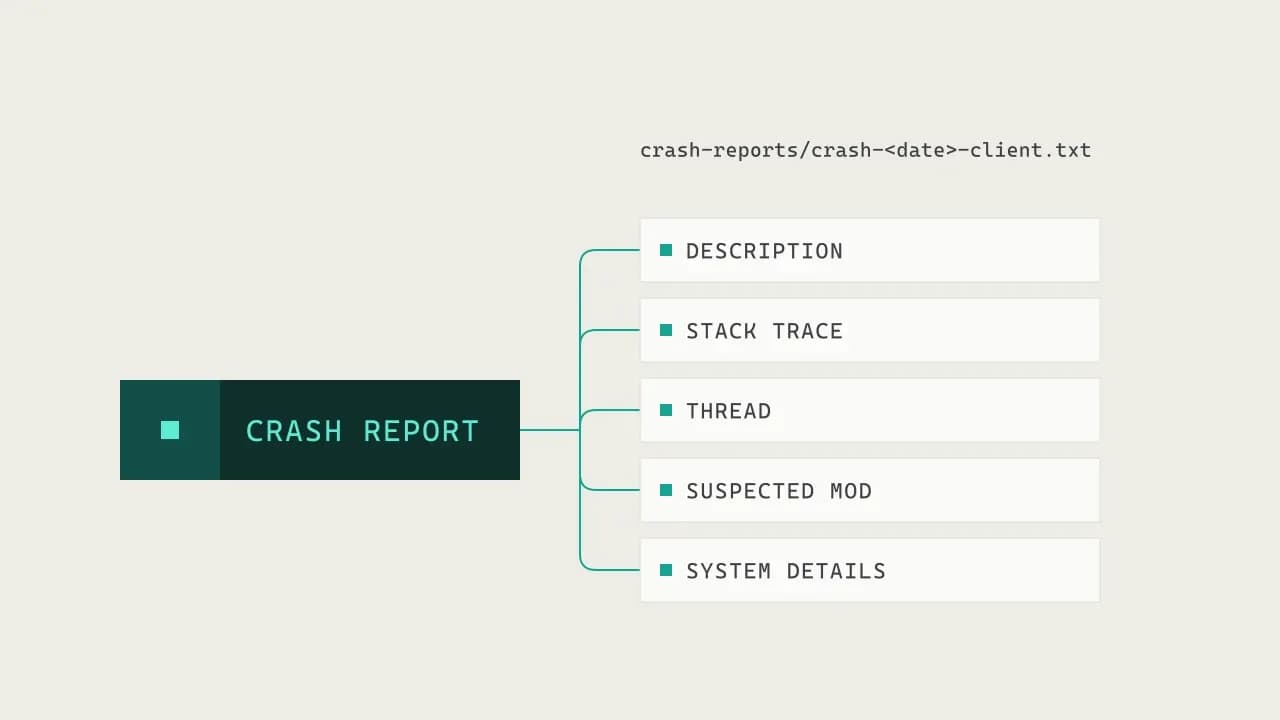
A few days ago I opened a book in my own mod and Minecraft closed on me. No warning, just the launcher coming back and a new file in crash-reports/.
That file is the most useful thing Minecraft gives you when something goes wrong, and most people never open it. When they do, it's 400 lines of what looks like noise. It isn't noise. Once you know how it's put together you can read one in under a minute, and tell whether the problem is your mod, someone else's, or your setup.
So let's take that crash apart. It's a real one, from my port of Elemental Creepers to Minecraft 26.2, and everything below comes from the file the game wrote.
Minecraft runs on several threads at once
Before the crash itself, one thing that explains a lot of what you'll see: Minecraft isn't one program doing one thing at a time. It's one Java process running several threads side by side.
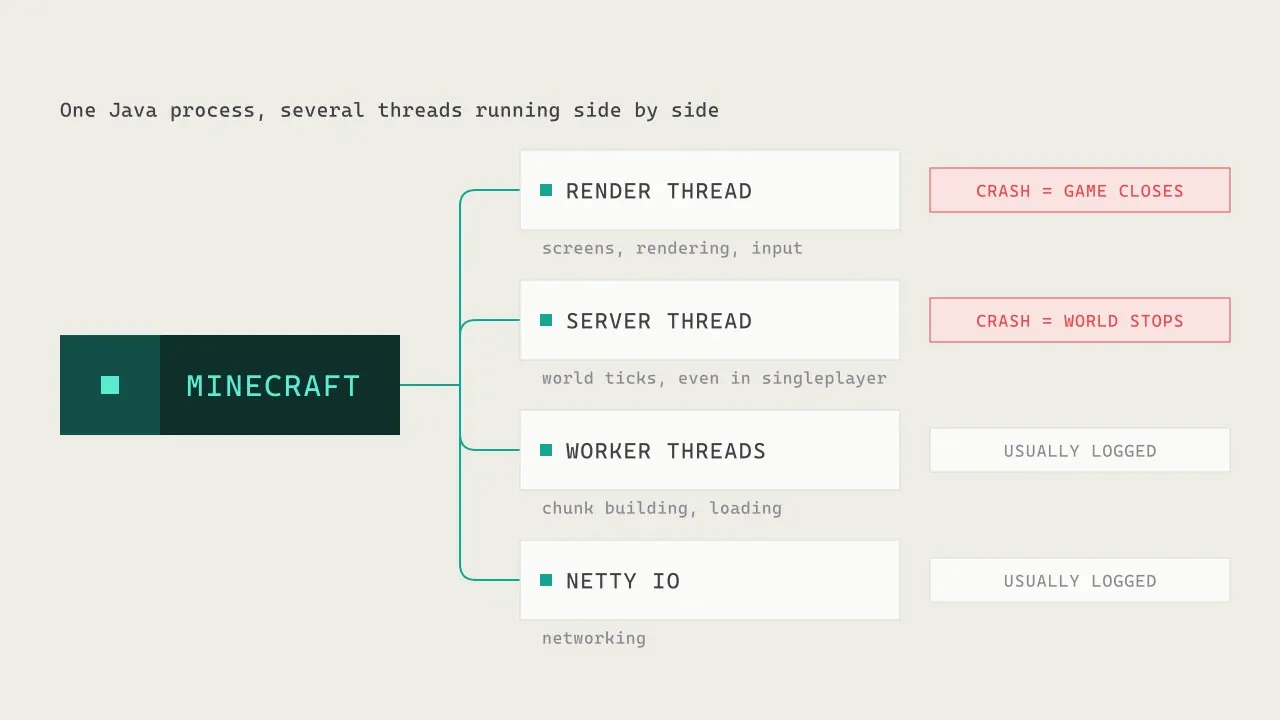
- The render thread draws everything you see: the world, the screens, the menus. It also reads your mouse and keyboard.
- The server thread runs the world: mobs, redstone, crops, everything that ticks. Even in singleplayer there's a small server running inside your game.
- Worker threads build chunks and load things in the background.
- The network thread moves packets between the client and the server.
Where an error happens matters a lot. An error on the render thread takes the whole game down. An error on the server thread stops the world; in singleplayer, the game closes right after. Errors on worker threads are usually just written to the log, and the game keeps going.
Every crash report tells you which thread it came from. Mine says Thread: Render thread, which already tells us it was something being drawn.
What happens between the error and the crash screen
Here's the part that surprised me the first time I read Minecraft's code.
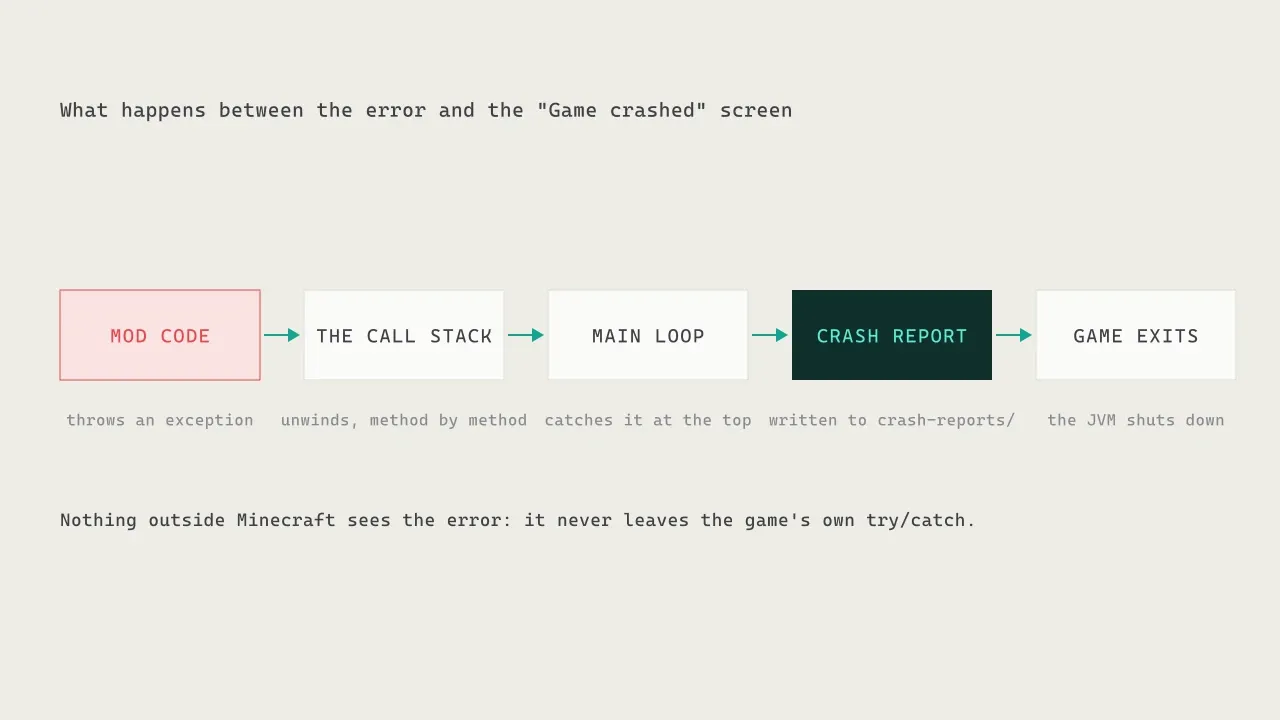
When some code throws an exception and nothing catches it, Java unwinds the call stack: it leaves the method that failed, then the method that called it, and so on, looking for someone to handle it. On the render thread, that someone is Minecraft itself. Its main loop is wrapped in a try/catch that catches everything.
When that catch fires, Minecraft tries to save your singleplayer world, writes everything it knows into crash-reports/crash-<date>-client.txt, and exits the Java process. That's the "Game crashed" moment.
This is also why a crash can be so quiet: the error never leaves the game. Minecraft catches it, writes it to a file, and exits. Unless someone opens that file, the mod's developer never finds out.
The parts of a crash report
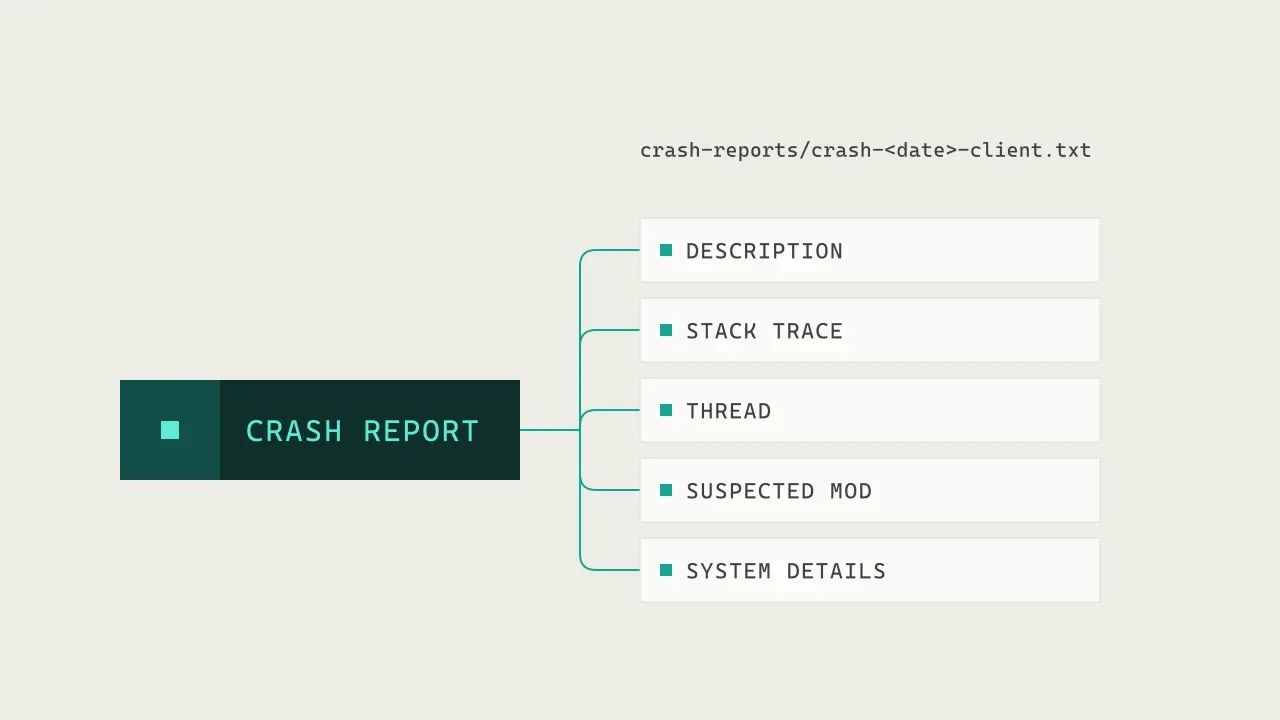
A crash report always has the same shape:
- Description: a short label for what the game was doing. Mine says
Rendering screen. - The exception and its stack trace: what went wrong, and the chain of method calls that led to it. This is the important part.
- Head: the thread, and on Forge a
Suspected Modline. - Details sections: what was on screen, which level was loaded, and so on.
- System Details: Minecraft and Java versions, the loaded mods, memory, CPU, graphics card.
Here's the top of mine:
Description: Rendering screen

java.lang.IllegalStateException: Tried to access entity ID before ID assignment
	at TRANSFORMER/[email protected]/net.minecraft.world.entity.Entity.getId(Entity.java:388)
	at TRANSFORMER/[email protected]/net.minecraft.client.renderer.item.ItemModelResolver.updateForLiving(ItemModelResolver.java:34)
	at TRANSFORMER/[email protected]/net.minecraft.client.renderer.entity.LivingEntityRenderer.extractRenderState(LivingEntityRenderer.java:296)
	at TRANSFORMER/[email protected]/com.pyro.elementalcreepersreloaded.client.render.ECCreeperRenderer.extractRenderState(ECCreeperRenderer.java:83)
	...
The first line after the description is the exception: its type (IllegalStateException) and its message (Tried to access entity ID before ID assignment). The message is often the best clue in the whole file, so read it slowly.
Reading one line of the stack trace
Every at ... line is a frame: one method that was running when things went wrong. On modern Forge each frame carries more than the method name.
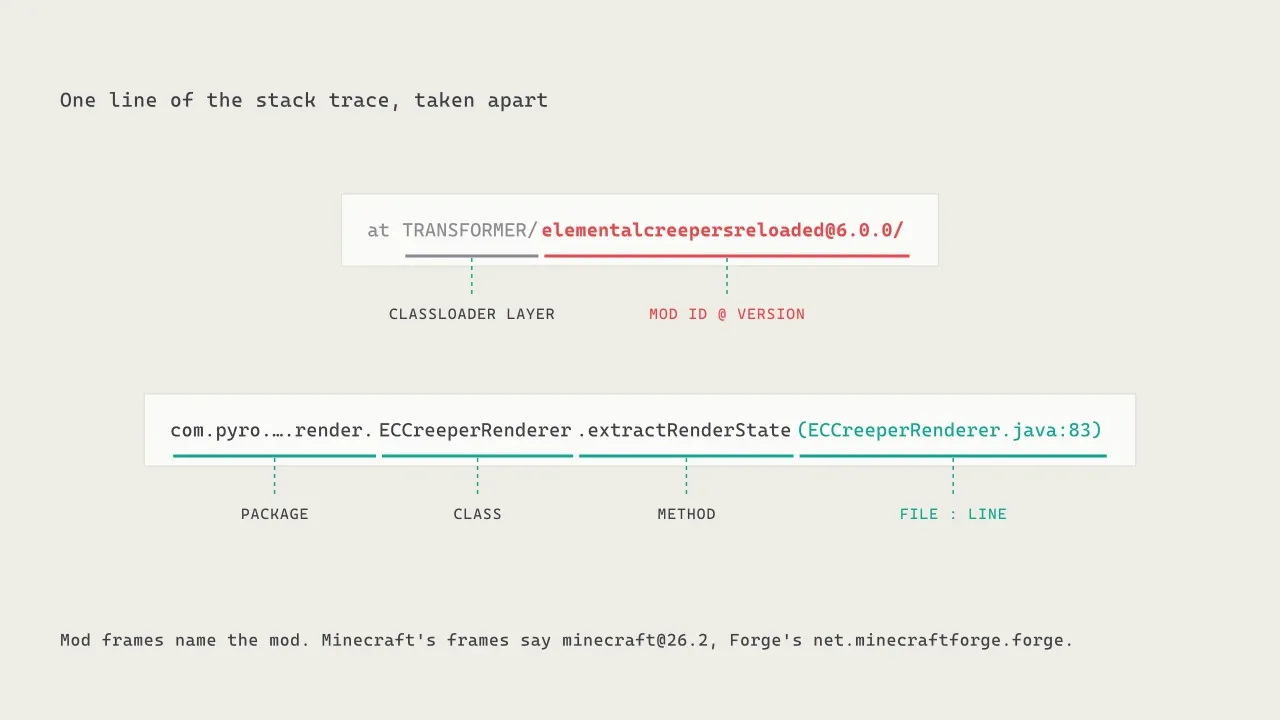
TRANSFORMER/is the classloader layer. You can mostly ignore it.[email protected]is who owns this code: the mod ID and its version. This is gold. Minecraft's own frames say[email protected], Forge's saynet.minecraftforge.forge@....- Then the full class name, the method, and the file and line number where it was.
With the mod ID right there on every frame, you can see which mods were involved without guessing from package names.
Where it broke is not who broke it
This is the thing most people get wrong. The top frame is where the exception was thrown, and the natural reaction is to blame whatever is there. In my crash, the top frame is Entity.getId in Minecraft. Minecraft didn't do anything wrong.
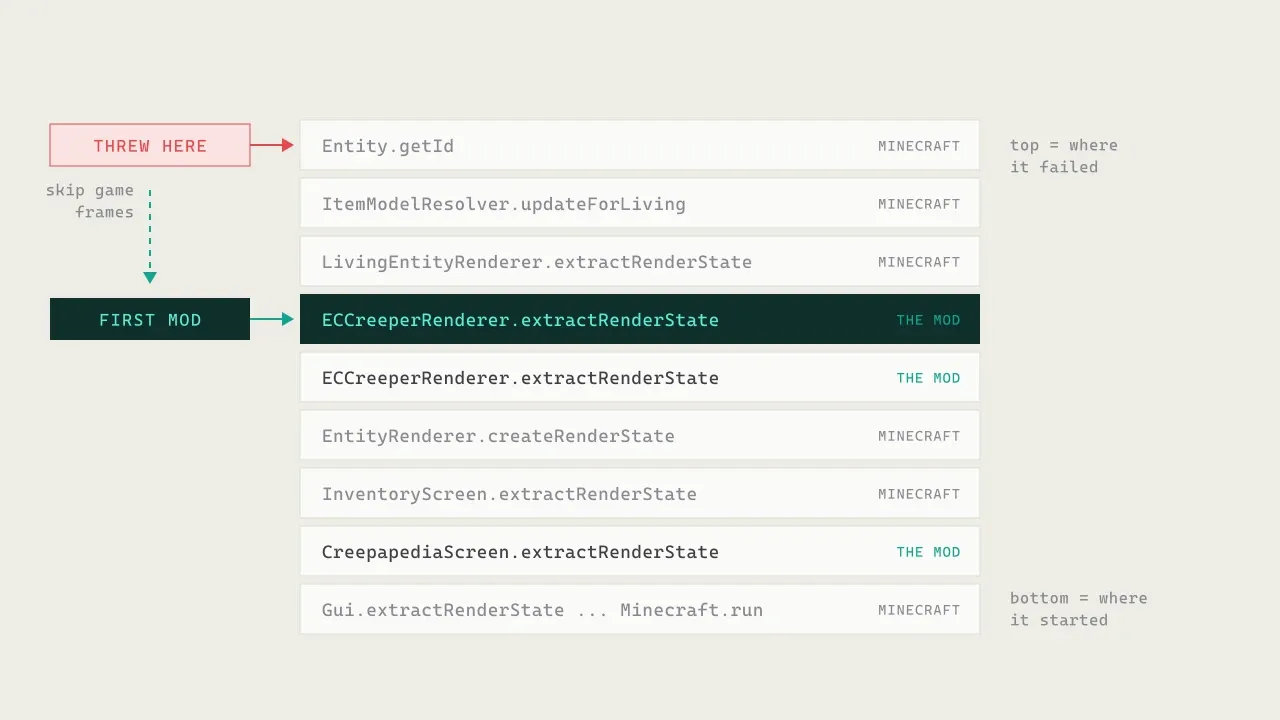
The stack reads from the top (where it failed) to the bottom (where it all started). To find the culprit, go down from the top and skip the frames that belong to Minecraft, Forge and Java itself. The first frame that belongs to a mod is almost always the one to look at.
In mine, three Minecraft frames down, there's ECCreeperRenderer.extractRenderState from my own mod. That's where my code asked Minecraft to do something it couldn't do yet. Forge's Suspected Mod line in the Head section does the same walk and lands on the same frame.
And the message now makes sense. The Creepapedia draws a creeper on its page. To do that it creates a creeper that never enters the world, and a creeper that isn't in a world has no ID. Minecraft reads that ID while drawing whatever the creeper wears on its head, and that's the exception. The fix was one line: give the preview creeper an ID.
When another mod shows up in your trace
Things get more interesting with more than one mod. There are two common ways another mod ends up in a crash report.
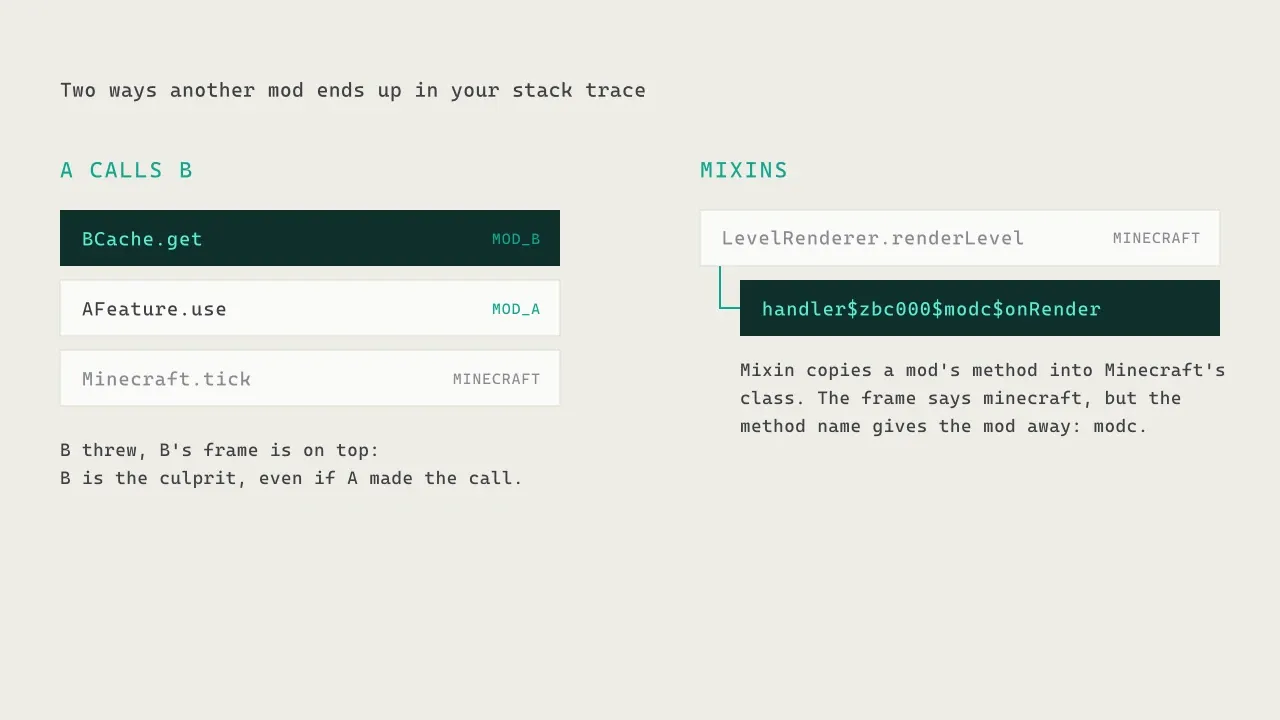
One mod calls another. Mod A uses an API from mod B, and B throws. B's frame is above A's, so walking from the top you reach B first. B is the one to report the bug to, even though A made the call. (Sometimes A passed B something it shouldn't have, but B is still where to start.)
Mixins. Many mods change Minecraft's behavior with Mixin, which copies a mod's method into one of Minecraft's classes when the game starts. The frame then says [email protected], because technically the code lives in a Minecraft class. But the method name gives it away: Mixin names it something like handler$zbc000$modc$onRender, and the part in the middle is the mod's ID. If you see a Minecraft frame with a name like that, the mod named in it is the one involved.
When the crash happens matters
Not every crash report looks like mine. What you get depends on when in the game's life things went wrong.
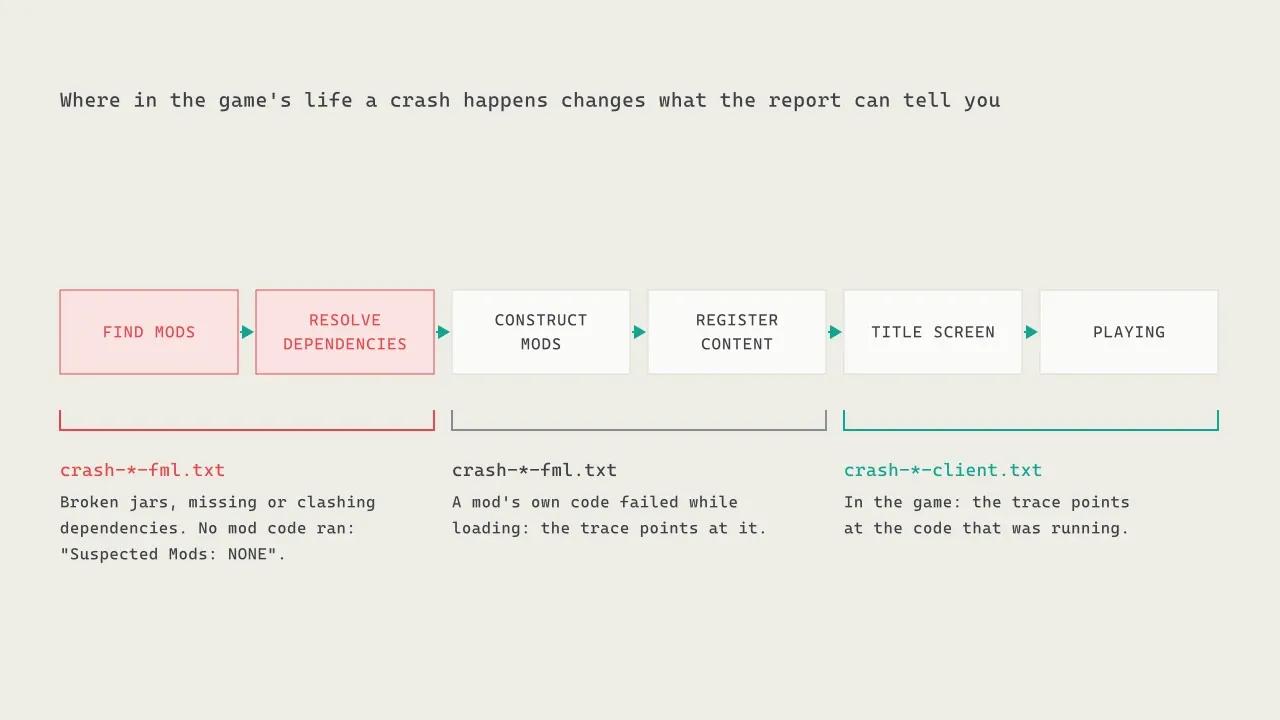
While I was setting up the port, I got three crashes before the game even reached the title screen, all named crash-<date>-fml.txt. They said things like "Some mods have agreed upon an acceptable version range for cc.nitea:nitea-forge-26.2, but no jar was provided which matched the range", with Suspected Mods: NONE. No mod code had run yet: the problem was how the mod files were put together, not what the code did. Those crashes are about files and dependencies. Check versions and duplicates, not code.
If a mod's own code fails while the game loads (in its constructor, or while registering its blocks and items), you still get an -fml report, but this time the stack trace points at that mod.
Once you're in the game, crashes are -client.txt (or -server.txt on a server), with a stack trace pointing at whatever code was running, like mine.
Reading a crash report in a minute
When the next one comes, here's the order I read it in:
- The description and the exception message. Often enough on their own.
- The thread. Render thread: something being drawn. Server thread: something in the world.
- Walk the stack from the top, skipping
minecraft@,net.minecraftforgeandjava.frames. The first mod frame is your lead. - Look for mixin method names in Minecraft frames (
handler$...$modid$...). - If it's an
-fmlreport with no suspected mod, look at your mod versions and dependencies, not at code. - Send the whole file to the mod's developer, not a screenshot of the crash screen.
Why developers rarely see your crash
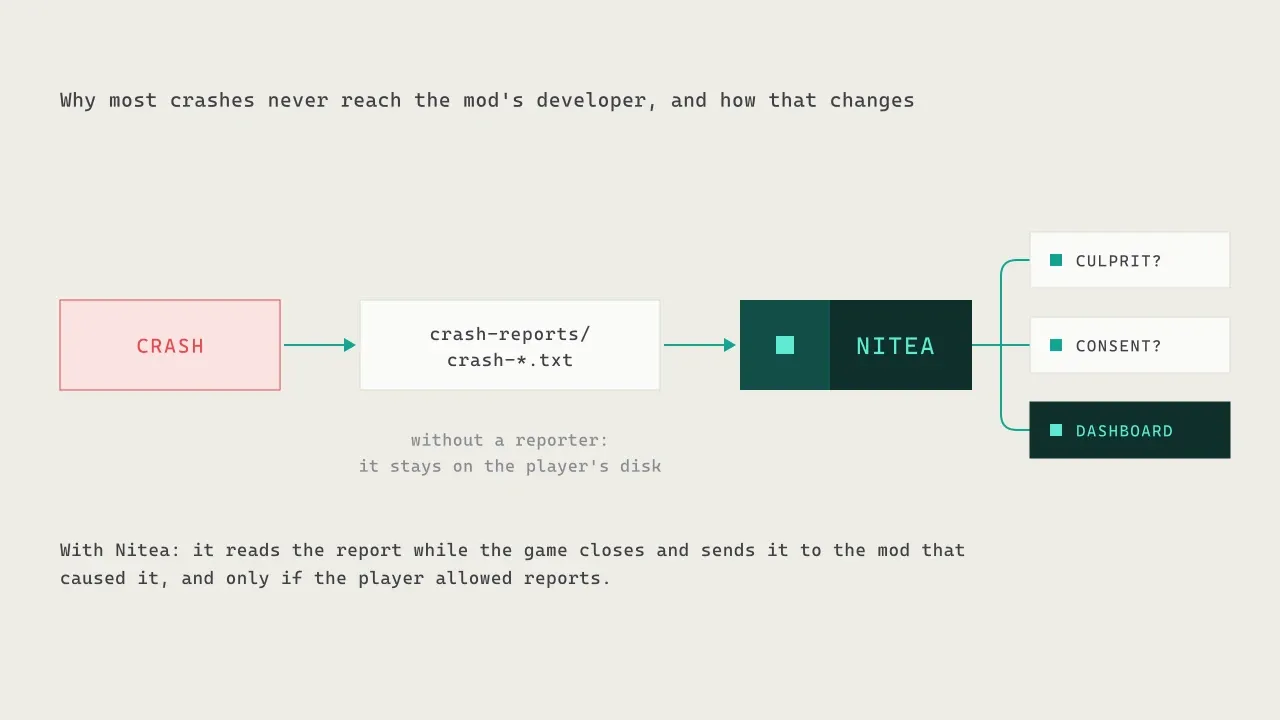
That last step is where most crashes end. The report sits on your disk, and unless you go looking for the mod's issue tracker and attach it, the person who could fix it never knows it happened.
That's the gap I built Nitea for. A mod that includes it gets its crashes and errors sent to its developer automatically. Nitea reads the crash report while the game closes, walks the stack the same way we did here to find which mod caused it, and sends it only to that mod, only if the player allowed reports. My Creepapedia crash reached my dashboard that way. At first it only arrived when I started the game again, which is how I found out a player who never relaunches would never send it; now Nitea sends it while the game is closing.
If you make mods and want your crashes to reach you, the Nitea docs show how to add it in a few minutes. And if you're a player: next time the game closes on you, open crash-reports/. It's more readable than it looks.
- Minecraft modding
- Crash reports
- Debugging
- Forge
- Error tracking